The three actions that matter
Everything in the early game is one of three things: buy customers for a venue, automate that venue so it earns without you, and collect what it earned while you were gone. Learn those and the rest is variation.
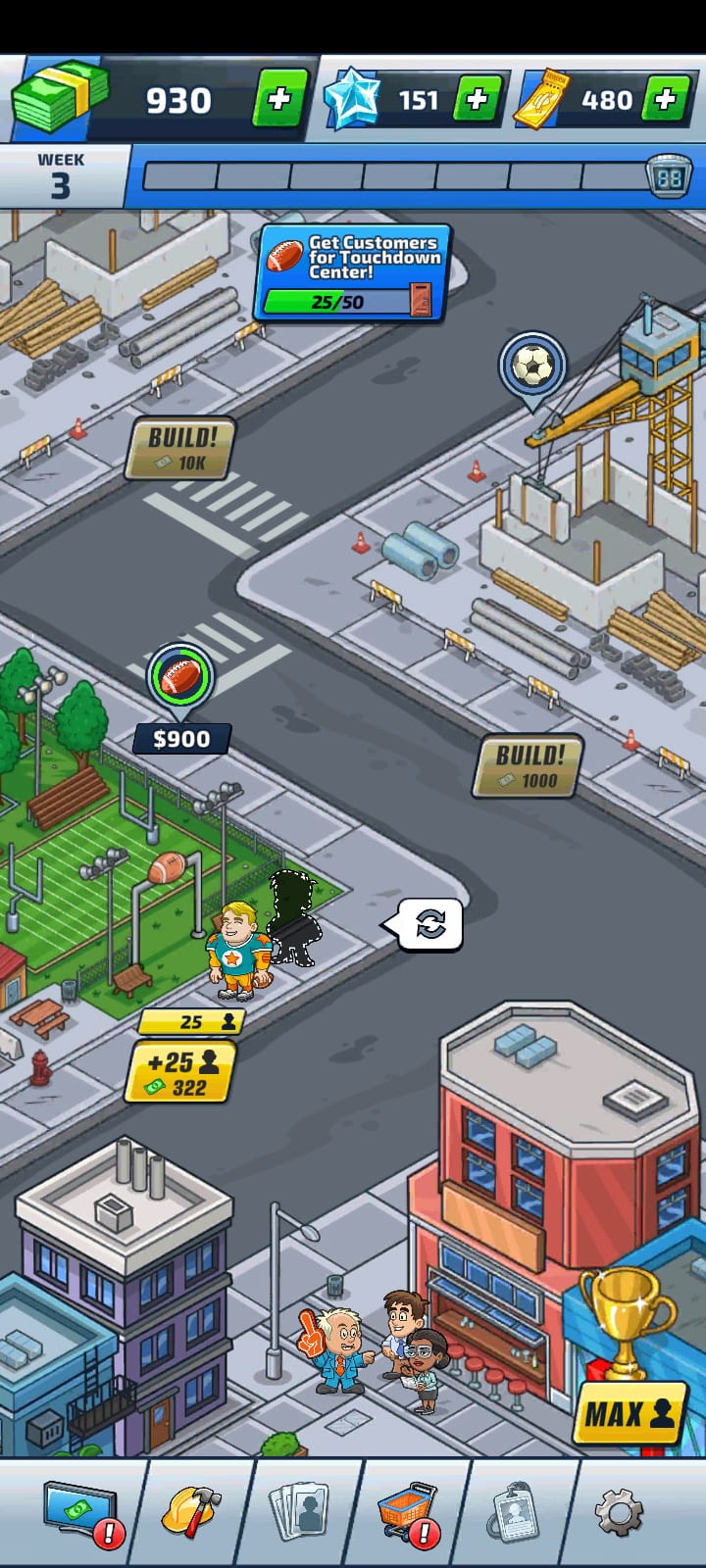
Your first build is Touchdown Center, the football venue, in a town called Champsford. The screen below is an early week: the bar across the top shows the week you are in, and the three numbers above it are the currencies you are working with.
Buy customers for a venue
Tap a venue and two yellow chips appear next to it. The top one is how many customers it holds now. The one under it is the offer: how many more you can add, and what they cost.
In the screen below the venue holds 25 customers and the offer is +25 customers for 322 cash. Taking it moves the venue to 50 customers and its displayed income from $900 to $3,600. Each step after that costs more and adds fewer customers, which is the signal to start looking at your other venues.
There is also a MAX button in the bottom corner, which buys as many steps as your cash allows in one go.
Watch for the multiplier
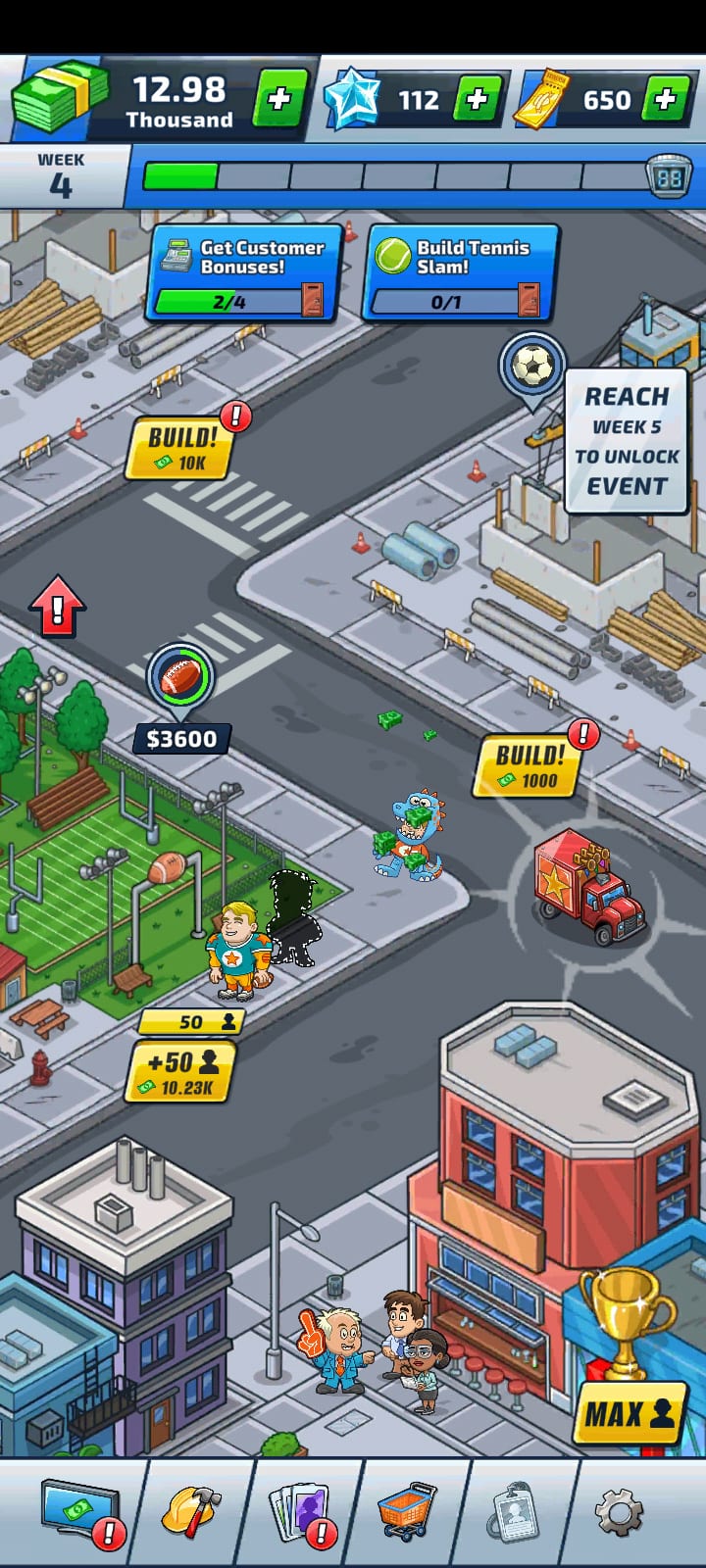
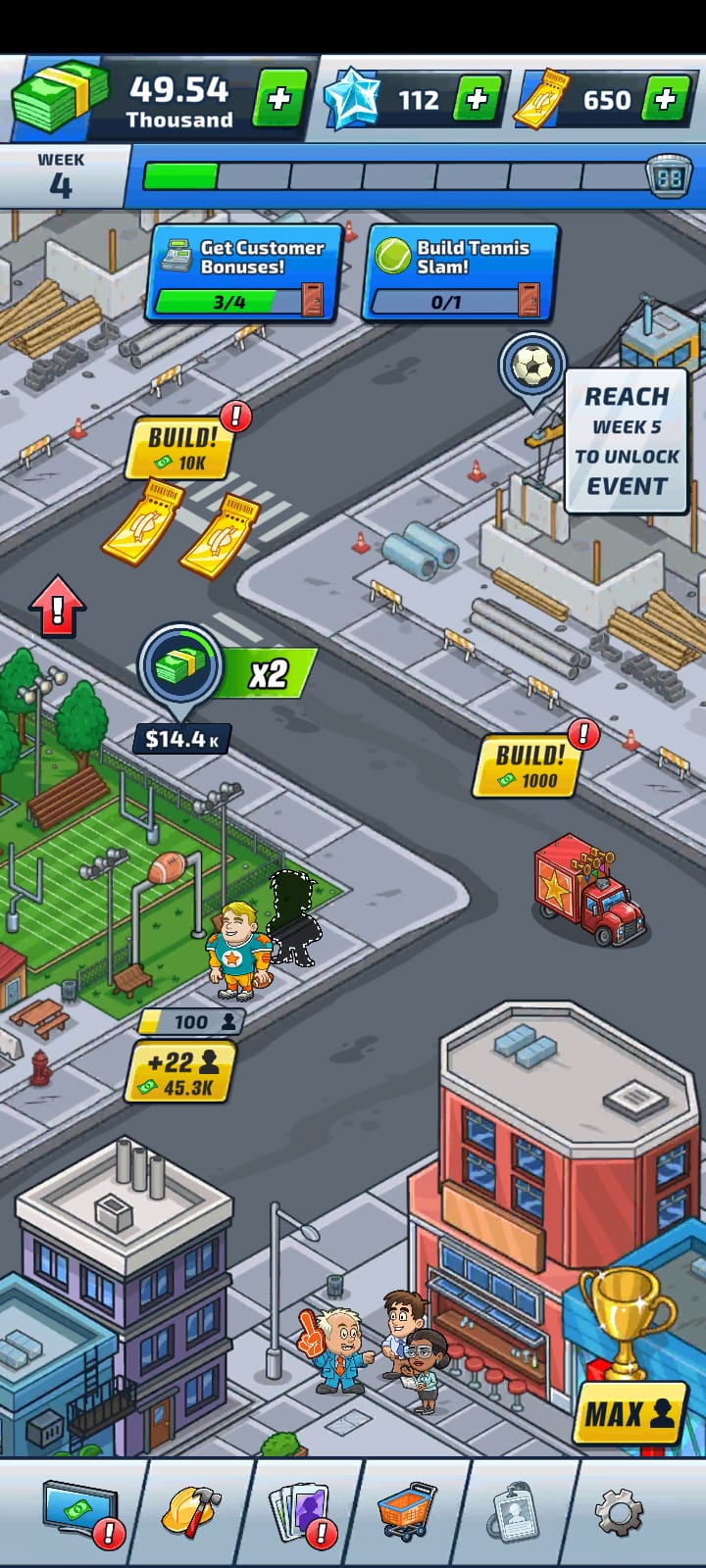
Income does not climb in a straight line. At certain customer counts a venue picks up a multiplier, shown as a green badge next to its income. The venue below is carrying an x2.
This is where the jumps come from, so pushing one venue to its next milestone is usually worth more than spreading the same cash thinly across several. The game does not show you the size of the next multiplier before you buy, a complaint that appears in reviews, so watch the round numbers.
Automate the venue
This is the step that turns the game from tapping into idling, and it is the one new players most often leave too late.
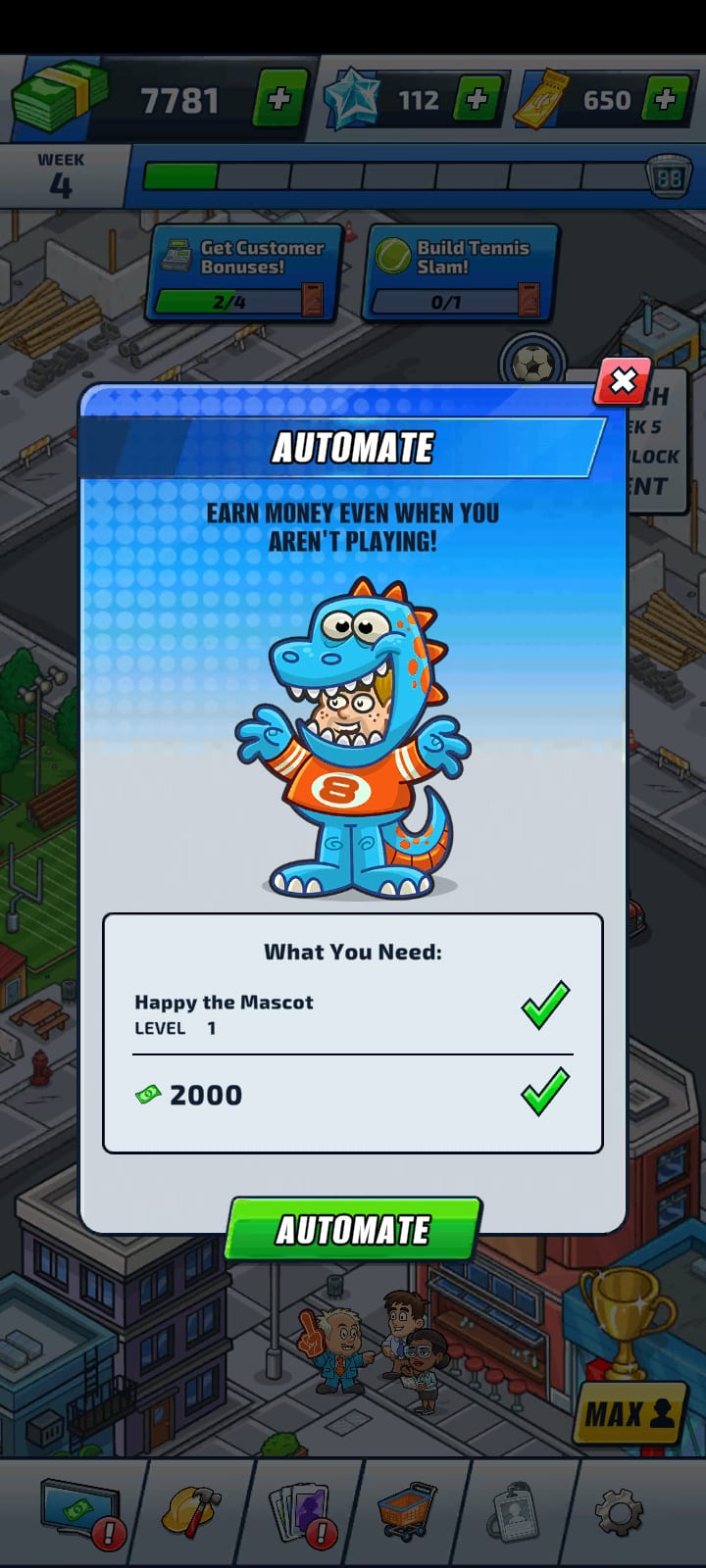
Tap the venue’s automate control and you get a panel headed AUTOMATE, with the line “earn money even when you aren’t playing” and a checklist of what it costs. It asks for two things: a named character at a given level, and cash. For Touchdown Center in the third week that was Happy the Mascot at Level 1 and 2,000 cash.
Different venues ask for different characters, levels and amounts, so do not assume the next one costs the same. Once a venue is automated it keeps earning with the app closed.
Cash, Sports Stars and Golden Tickets
Three numbers sit across the top of the screen, and they do different jobs.
Cash is the working currency. It builds venues and buys customers, and it is what your automated venues produce while you are away.
Sports Stars and Golden Tickets are the two scarcer ones. They carry across a week transition when your cash does not, which makes them the durable part of your progress. They come from goals, pickups on the map and events.
The practical version: spend cash freely, because you will earn more of it and it resets anyway. Treat Sports Stars and Golden Tickets as the things you are actually accumulating.
What happens at the end of a week
The bar at the top of the screen is a week. Fill it and the game offers to move you on, and it tells you what that costs before you accept: customers and cash reset; Sports Stars, cards and Golden Tickets are kept.
That is the prestige beat of this genre, and it is worth understanding before your first one rather than after. You are not losing progress, you are converting a full week into the things that carry. Cities work the same way at a larger scale as you get further in.
Collect what you earned while you were away
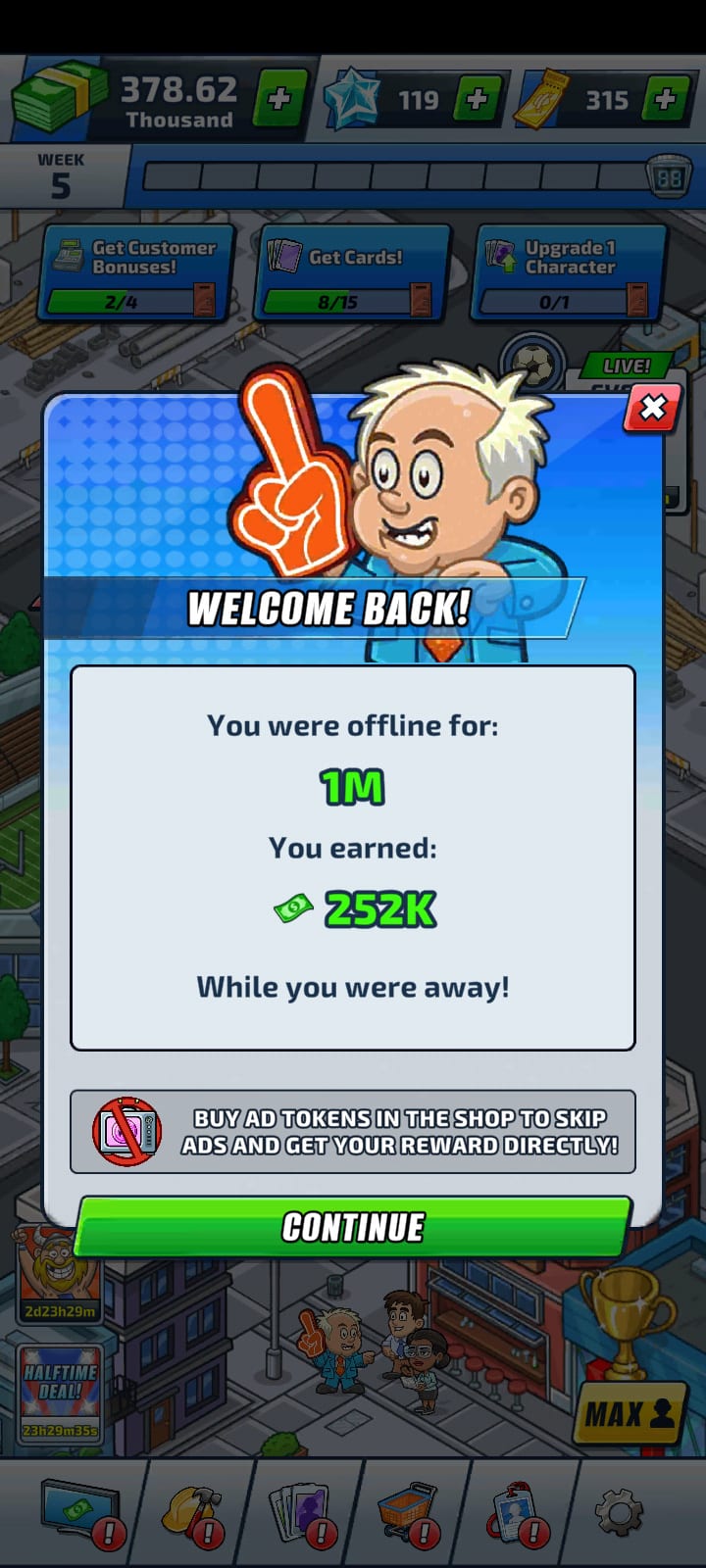
Open the game after leaving it alone and a WELCOME BACK panel tells you how long you were gone and how much your automated venues made. Press CONTINUE to take it.
That is the whole interaction. There is no separate step to remember.
Then try a weekly event
Events are not available from the first minute. In this build the map carries a sign reading REACH WEEK 5 TO UNLOCK EVENT, so getting to Week 5 is the short-term goal once your first venues are automated.
When an event is live it opens its own map with its own goals, its own reward track and a countdown, and a BACK TO MAIN GAME button to leave it. The weekly levels and events guide explains how the milestone track and the leaderboard differ, and why the milestones are the part worth playing for.
If something goes wrong
Reopen the game first; a reward that has not been delivered is often granted on the next launch. If it still is not there, contact support with your player ID, your device and roughly when it happened, through the Help option in the game, the help centre or sports.idle@kanoapps.com.
Link your save from inside the game before you change phones. An unlinked save lives only on the device that created it, so do it before you switch rather than after.